
Integrated vs Standalone Card Machines: Which Suits Your Business?
Should your card machine connect to your EPOS till or run on its own? Zivaro compares integrated and standalone card machines through three everyday tasks: taking a payment, issuing a refund and checking takings at closing. See where integration can save your team time and when a standalone terminal may suit your business.
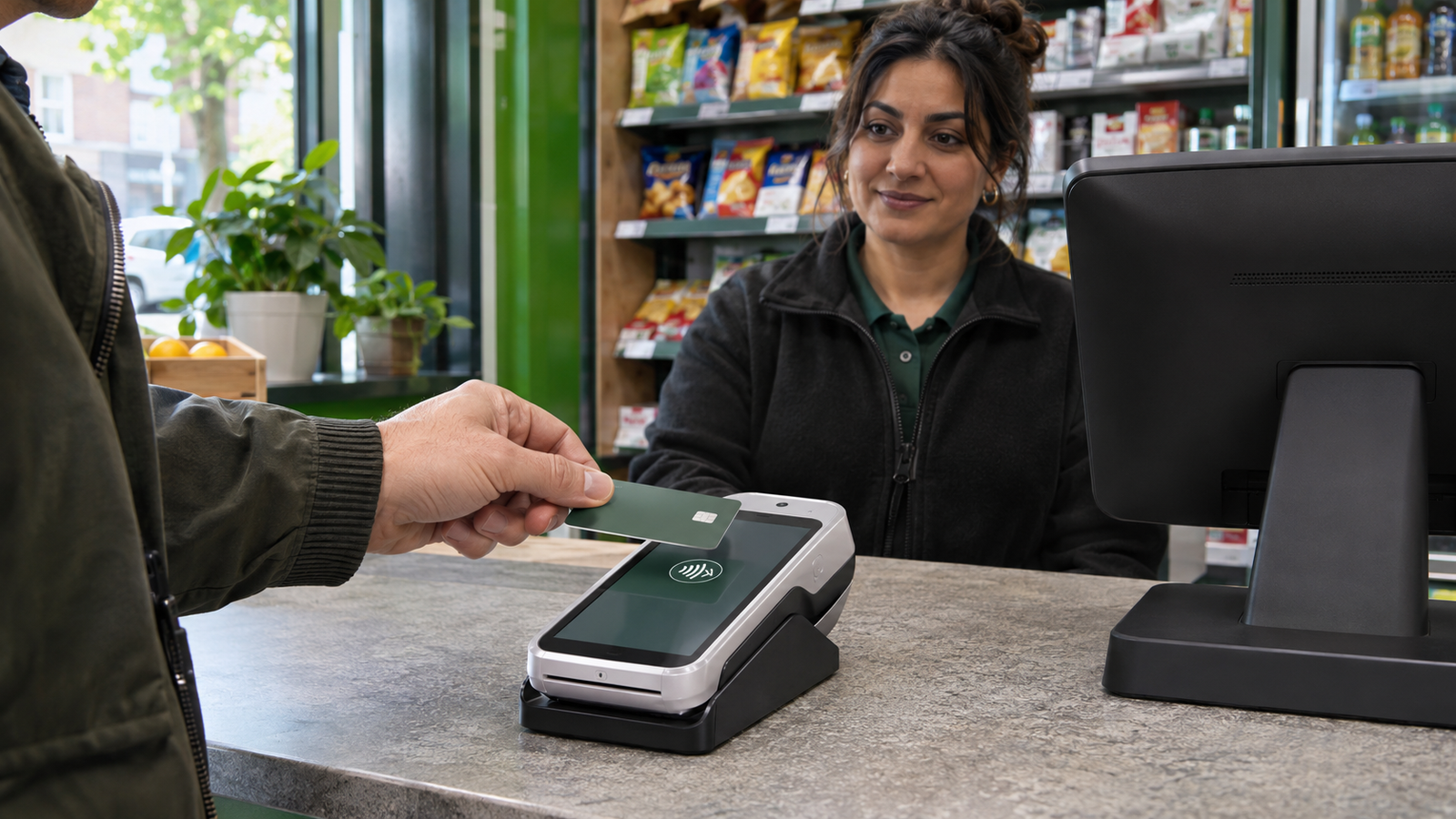
An integrated card machine receives the amount directly from your EPOS till. A standalone card machine works separately, so your team enters the amount on the terminal. Integration is worth considering if you take frequent card payments, have several people working the checkout or regularly spend time matching card payments to till sales. A standalone terminal can suit a shop with fewer transactions and a simple end-of-day routine. Zivaro Blog
The quickest way to choose is to look at three things your staff already do: take a payment, process a refund and close the till. Here’s what changes in each setup.
Taking a card payment
Imagine a customer in a convenience shop buys milk, bread and a packet of biscuits. The cashier scans the basket and the till shows £8.65.
With a standalone terminal, the cashier reads the amount from the till, types £8.65 into the card machine and waits for approval. They then complete the sale on the till as a card payment. If they type £8.56, the customer pays nine pence less than the EPOS records. The difference may only become apparent when somebody compares the two totals at closing. Zivaro Blog
With an integrated terminal, the cashier selects card payment on the till and the EPOS sends £8.65 directly to the machine. The customer taps or inserts their card. Ask the provider to show how the till records the result and what staff see if the payment is declined or cancelled. Zivaro Blog
For an owner who handles a handful of transactions a day, typing the amount may be a manageable step. In a shop where several staff work the lunch rush, removing that step means one less thing to check on every card sale.
Processing a refund
Suppose the same customer returns the biscuits and the shop approves a £2.40 refund. Your staff need to return the money and record what happened to the original sale. If the product goes back on the shelf, they also need to check how the till handles the stock.
With a standalone terminal
Staff find the original sale in the EPOS, check the item and refund amount, then follow the payment provider’s refund steps on the terminal or payment portal. They also record the refund in the EPOS. Agree which step staff complete first and what reference they use so someone checking the reports later can match the two records.
With an integrated terminal
On a setup that supports integrated refunds, staff can start from the original sale in the till and follow the prompts for the card refund. Zivaro’s integrated setup links refunds to the original transaction. Ask to see a partial refund in the demo, particularly if customers often return one item from a larger basket. Check what happens when an item was part of a promotion or when a manager needs to approve the refund. Explore Zivaro’s card machines. Zivaro
Checking card takings at the end of the day
With a standalone card machine, compare the EPOS card total with the terminal or payment provider’s report for the same trading period. If the figures differ, start by checking for a mistyped amount, a refund recorded in only one place or a sale marked as cash on the till when the customer paid by card.
Integration can make this easier because the payment starts from the EPOS sale. In a demo, ask the provider to open the closing report and find the payment and refund you just tested. Check what the report shows if you have more than one terminal or sometimes take payments separately from the till. Zivaro
Treat the bank payout as a separate check. The till shows what you recorded during trading. A payout may cover a different period and can reflect fees, refunds or other adjustments, depending on your provider. Use the provider’s settlement report to see which transactions make up the deposit.
Which setup suits your business?
Consider integration if checkout volume is the issue
A busy convenience store is a good example. Staff scan baskets in quick succession, several people use the same checkout and the owner checks card takings after closing. In that setting, sending the total straight from the till addresses a task staff repeat throughout the day.
For a café serving customers at the counter, try the workflow with a real order, including an extra shot or a milk change. For a restaurant taking payments at the table, ask whether the portable terminal can retrieve the right bill and handle split payments the way your team needs.
Consider standalone if you need a separate payment point
A standalone machine can suit a low-volume counter, a market stall or a payment point physically separate from the main till. It can also be an option when your current terminal works well and you’re reviewing the EPOS and payments agreements on different timelines. Check how staff will record those sales and refunds so the closing report remains useful.
Compare the full cost of both options
Ask each provider to quote on the same monthly card turnover and transaction count. Include the terminal cost or rental, payment processing, any EPOS or integration charge and the minimum contract term. If you’re keeping a terminal you already own, confirm its compatibility before you use that assumption in the comparison. See Zivaro’s guide to EPOS system costs. zivaro.uk
What to test before you switch
Bring a typical basket or order to your demo and ask to walk through these situations:
- A routine sale. Add a few items, apply a discount and check that the terminal receives the final amount.
- A payment that doesn’t complete. Cancel the payment and ask how staff can confirm its status before retrying.
- A partial refund. Refund one item and check how the transaction appears in the till and payment reports.
- A closing check. Find the sale and refund in the end-of-day totals, then ask where to see the corresponding payout.
- A connection problem. Ask what happens if the till loses its connection to the terminal or the internet. Have the provider explain the fallback for the specific equipment in your quote.
Want to see how this would work at your counter? Bring a typical sale and refund to a Zivaro demo. We’ll show you how the till sends the amount to the card machine and where the transaction appears in your reports. Book an integrated payments demo with Zivaro. Zivaro
Frequently asked questions
Can I integrate my existing card machine with a new EPOS till?
Possibly. Compatibility depends on the terminal model, your payment provider and the EPOS system. Send the model number and provider name to the EPOS supplier and ask for confirmation before ordering. Zivaro
Does a standalone card machine need an EPOS system?
A standalone terminal can take a payment independently of an EPOS till. If you use both, your team needs to record the sale and the payment method in the till so the reports can be checked against the terminal’s takings. Zivaro Blog
Are integrated card machines more expensive?
Compare written quotes based on how you trade. The cost depends on the equipment, software, processing rates and contract terms. Ask for the total over the same period for both options, using the same card turnover and transaction count.
More EPOS guides

What Data Should You Move When Switching EPOS Providers?
Switching EPOS providers? Learn which products, barcodes, stock and sales records to move, and how to test your new till before going live.
Read article
Black Friday Sale 2026: How UK Independent Shops Can Run a Profitable Promotion
Plan a Black Friday sale that works for your shop. Learn how to price a promotion, prepare stock and measure what the event earned.
Read article
Can You Switch EPOS Providers and Keep Your Existing Till Hardware?
You may be able to reuse your till, scanner or printer when you switch EPOS providers. Here’s how to check what will work before you buy
Read article