
Is EPOS a Good POS System for UK Small Businesses?
EPOS can bring checkout, stock and sales reports together. Find out when it’s worth the cost and what to test before choosing a till for your shop, café or takeaway.
Yes. An EPOS system is a good choice if you want your till to handle sales, update stock and give you reports you can use to run the business. For a busy convenience shop, that could mean knowing which products to reorder before the weekend. For a café, it could mean sending orders straight to the kitchen and splitting a bill without doing the maths by hand.
If you sell a handful of products and mainly need to take card payments, a standalone card machine may be enough. EPOS becomes worth a closer look when you’re spending time re-entering payment totals, checking stock manually or piecing together sales at the end of the day.
What is an EPOS system?
EPOS stands for electronic point of sale. It’s a type of POS system that uses software to record sales and can connect a till to equipment such as a barcode scanner, receipt printer or card terminal. The exact features depend on the system and package.
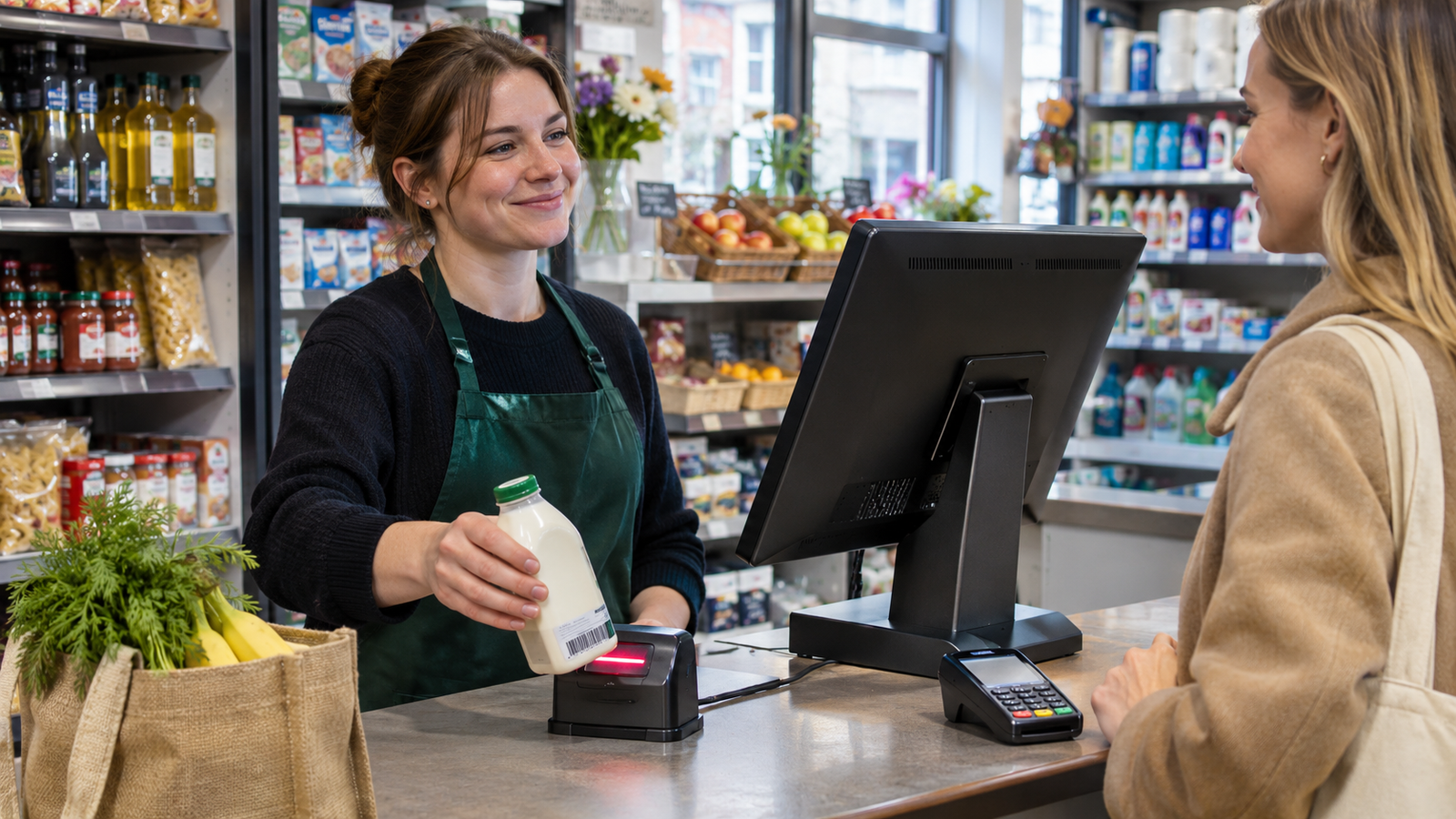
Take a grocery shop selling a bottle of milk. The cashier scans the barcode, and the till looks up the item and price. The software records the sale and, if stock tracking is enabled for that item, adjusts the quantity on hand. That record can then feed a product sales report. HMRC describes this barcode and product lookup process in its guide to how modern electronic checkouts work.
When is EPOS worth it?
When the checkout queue builds quickly
Integrated payments let the till send the sale total to a compatible card terminal. On a £17.85 sale, the cashier enters the basket once and the customer sees £17.85 on the card machine. That removes a step where staff could mistype the total, especially when the queue is growing.
If you already own a card terminal, ask whether the EPOS can integrate with that specific model and payment provider. During a demo, ask to see a normal sale, a declined payment and a refund. Those everyday exceptions tell you more about a till than a smooth first transaction.
When stock counts keep catching you out
Imagine a corner shop sells out of its most popular meal deal drink every Friday afternoon. An item-level sales report can show how many bottles usually sell on Fridays. The owner can check that figure against the shelf and the next delivery date before placing an order.
Stock tracking depends on how consistently staff record deliveries, returns, waste and adjustments. If a damaged case goes straight to the bin, the till may still show units available. Ask to see how your team would book in a delivery and record a damaged item on the Zivaro retail EPOS system.
When orders need to reach the kitchen clearly
A café’s busiest moment rarely looks like a demo. One customer wants oat milk, table four adds a side, and another table asks to pay separately. A hospitality EPOS can help staff keep those changes with the right order and send the relevant items to the kitchen. Zivaro’s hospitality system lists table plans, kitchen printing and split bills among its features. Explore Zivaro hospitality EPOS.
When you need more detail at close of day
A daily total tells you how much you sold. A useful report can also help you answer questions about what sold, what was refunded and when trade picked up. A takeaway owner might compare Friday sales by hour before deciding whether an extra member of staff is needed from 5 pm or 6 pm.
If you use HMRC’s VAT Point of Sale Scheme, ask to see how the till identifies VAT rates at the point of sale and what the reports show. Use your actual products when you test this, especially if you sell goods at different VAT rates. HMRC guidance on the VAT Point of Sale Scheme.
When might a simpler setup be enough?
A market trader with six products, occasional trading days and a straightforward price list may do well with a card reader and sales records. A small counter-service café might want a basic EPOS till for order entry and reporting, while a restaurant with multiple servers may need table plans and kitchen printing.
Look at where you lose time in a typical week. If it takes twenty minutes after each shift to match the till’s card sales against a separate terminal report, test how integrated payments change that close-of-day routine. If your biggest frustration is running out of popular stock, spend more of the demo on stock counts and ordering.
How do you choose a good EPOS system?
- Bring real products or menu items. Pick a few from a normal weekend shift, including a promotion, a variant or a modifier staff often need.
- Run the whole transaction. Start with a scan or order, take a payment, issue a receipt and find the transaction in the report. Then try a refund.
- Check what happens if the internet drops. Ask which till functions stay available, whether card payments can continue and when records sync after the connection returns. Test each part of that workflow.
- Get the full first-year cost in writing. Include hardware, software, installation, support, card machine rental, processing fees and any extra tills or locations. Check the contract length and cancellation terms as well.
- Ask who helps after installation. Find out what the provider can import, how staff training works and when support is available. Ask what sales and stock data you can export if you change systems later.
Who is behind Zivaro?
Zivaro is the EPOS and payments brand of Switch&Save Business Services Ltd, a Birmingham-based company. Companies House lists Switch&Save Business Services Ltd.
Switch & Save also publishes a product page for its SSPOS software, which lists stock management, sales reporting and staff permissions. If you’re choosing a package, use the demo to see how those features work with your own products, menu and hardware. Switch & Save SSPOS software
Frequently asked questions
Is EPOS the same as POS?
POS means point of sale. EPOS is the electronic type of POS, where software records the sale and can also handle stock, reporting and other functions. Providers often use “POS system” and “EPOS system” to describe the same kind of till setup.
Is EPOS worth it for a small shop?
It can be, especially if you have lots of product lines, regular stock deliveries or several people serving. If your checkout is simple and you can easily see what’s selling and what needs reordering, a basic setup may cover your needs.
Can I keep my existing barcode scanner or card machine?
Possibly. Give the provider the make and model of each device and, for the card machine, the name of your payment provider. Ask them to confirm compatibility and show the devices working with the till before you buy.
What should I bring to an EPOS demo?
Bring a typical basket or a few menu items, a recent sales report if you have one, and a task that currently takes too long. Ask the provider to walk you through that task from start to finish so you can judge how it would work on a busy shift.
Want to see how it would work at your counter? Book a free Zivaro EPOS demo and ask to run a sale using your own products or menu. You can also call 0333 038 9707.
More EPOS guides

What Data Should You Move When Switching EPOS Providers?
Switching EPOS providers? Learn which products, barcodes, stock and sales records to move, and how to test your new till before going live.
Read article
Black Friday Sale 2026: How UK Independent Shops Can Run a Profitable Promotion
Plan a Black Friday sale that works for your shop. Learn how to price a promotion, prepare stock and measure what the event earned.
Read article
Can You Switch EPOS Providers and Keep Your Existing Till Hardware?
You may be able to reuse your till, scanner or printer when you switch EPOS providers. Here’s how to check what will work before you buy
Read article