
Takeaway EPOS: surviving the Friday night rush
Friday night is where takeaways make their money and lose their reputation. Here's where the minutes actually go, and what a properly configured till does about it.
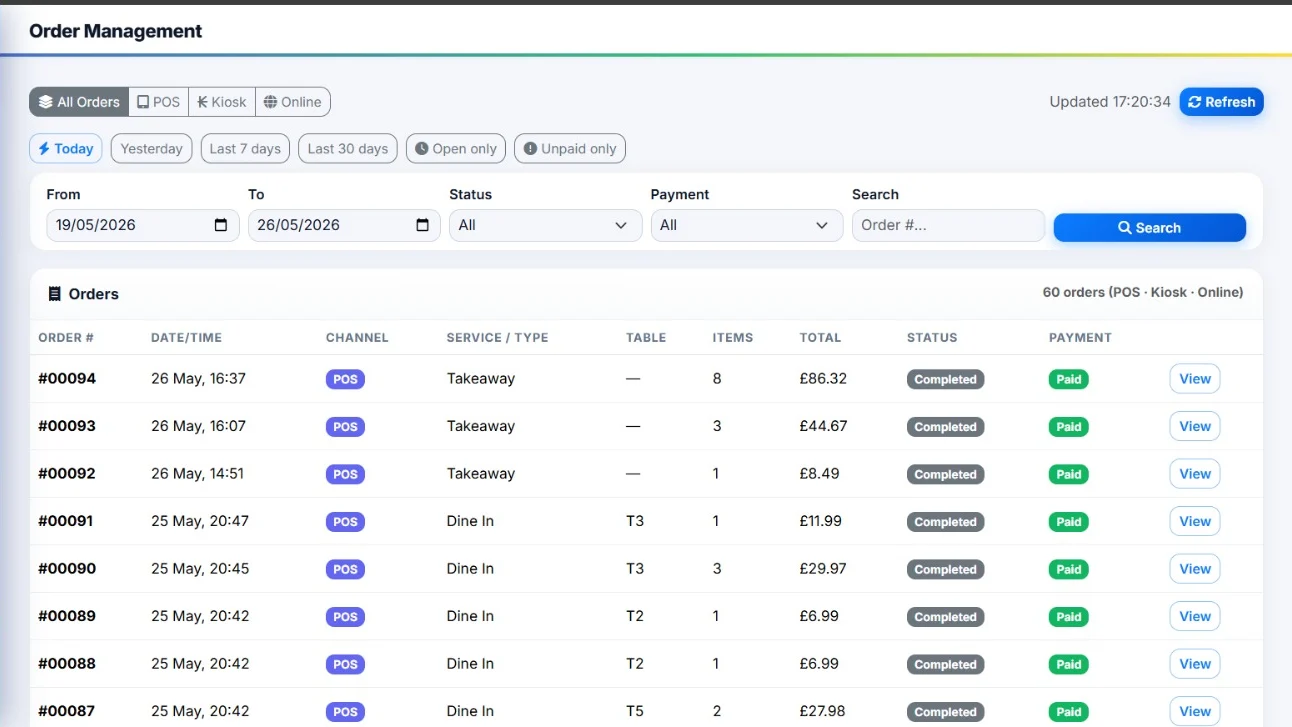
It's 7:40pm on a Friday. There are four people at the counter, the phone is ringing, two delivery apps are pinging on a tablet by the drinks fridge, and a driver is waiting for an order that may or may not have been made.
Every takeaway has this hour. The difference between a good one and a bad one isn't the food — it's whether the orders get to the kitchen accurately, in the right order, without anyone shouting. That's a systems problem, and most of it is solved at the till. Here's where the minutes actually go and what to do about each one.
Where a takeaway loses time at peak
Roughly in this order of severity:
- Re-keying orders from delivery apps into the kitchen system, or scribbling them on a pad
- Order errors — wrong sauce, missing side, forgotten "no chilli" — which cost the food, the delivery and the customer
- Kitchen queue confusion when there's no single, ordered list of what's being cooked next
- Payment fiddling at the counter, especially typing totals into a separate card machine
- Driver dispatch — working out which bags go with which driver and which are still cooking
None of these is dramatic on its own. Together, on a 250-order night, they're the difference between finishing at 11:15pm and finishing at midnight with three refunds to process.
Get every order onto one screen
The single biggest win in a takeaway is one queue. Counter orders, phone orders, website orders and delivery platform orders all landing in the same list, in the order they were placed.
When they're in separate places, someone has to hold the priority order in their head, and at 8pm nobody can. When they're in one list, the kitchen just works top to bottom. A takeaway EPOS system should give you that queue as its default screen, not as a report you go looking for.
If your delivery platform orders currently arrive on their own tablet, ask any provider you're speaking to how those get into the main queue and whether it's automatic. Re-keying an app order is where most peak-time mistakes are born.
Make modifiers impossible to forget
Most takeaway complaints aren't about missing orders. They're about missing details.
Your till should force the decision at the point of ordering. Choose a kebab and the screen asks for salad, sauce and chilli level before it will let you move on. Choose a pizza and it asks for size, base and toppings. The person taking the order can't skip it because the screen won't let them.
Set these up properly once, before go-live, and the payoff is nightly:
- Required modifiers for anything with a standard choice — sauce, spice, size, cooking preference
- Priced modifiers for extras, so the till charges for extra cheese instead of your margin absorbing it
- Free-text notes for the genuine one-offs, printed clearly on the kitchen ticket
- Allergen flags attached to the product, so a new starter on a Friday can answer a question correctly
Kitchen tickets: printer, screen, or both
| Kitchen printer | Kitchen display screen | |
|---|---|---|
| How it works | Prints a docket per order at the pass | Shows the live order queue on a screen |
| Strengths | Cheap, simple, works in a grease-heavy environment, physical ticket travels with the order | No paper, shows timings, orders clear when done, easy to see what's late |
| Watch out for | Paper runs out at the worst moment; dockets get lost or stuck together | Needs a screen that survives a hot kitchen and a member of staff to bump orders off |
| Best for | Single-station kitchens, chip shops, small pizzerias | Multi-station kitchens where different people cook different parts of an order |
Plenty of takeaways run both — a screen for the queue and a printer for the bag label. Whichever you pick, check that the till can route different items to different printers, so cold items go to the prep bench and hot items to the grill.
Payments that don't slow the counter
At peak, the counter is a queue-management job. Two things help.
First, integrated card payments, so the amount goes from the till to the card machine automatically. No reading the total out, no mis-keyed £24.50 as £2.45, no arguing about it at cash-up.
Second, a second payment point. If you've got one counter and one card machine, a single slow contactless payment holds up four orders. A handheld card machine that can take payment at the door for collections, or from a driver on delivery, takes pressure off the counter.
Drivers and dispatch
Delivery is where the last ten minutes of an order goes missing. A few practical rules:
- Print a bag label with the order number, name, postcode and payment status, not just a kitchen docket
- Mark orders as dispatched at the till, so anyone can answer "where's my food" without walking to the kitchen
- Assign the driver on the system, so a returning driver picks up the next batch without a conversation
- Flag unpaid orders clearly, in colour, so cash-on-delivery doesn't turn into food-on-delivery
What this looks like on a real Friday
Take a takeaway doing 220 orders between 5pm and 11pm. Suppose re-keying delivery app orders takes 45 seconds each, and 60 of those orders come through apps. That's 45 minutes of one person's evening spent typing, at exactly the time you can least spare it.
Now assume order errors run at 3% — around seven orders — and each costs you the food, the remake and a discount. Halving that through required modifiers and printed tickets pays for a lot of till.
Those percentages are yours to measure, not ours to assert. Count your own remakes over two Fridays and you'll know exactly what the problem is worth.
Set-up checklist before your first busy night
- Full menu loaded, with prices checked against your printed menu and your app listings
- Required modifiers set on every item that has a standard choice
- Kitchen printer or screen tested with a real order, including a long one
- Bag labels printing with order number, name and payment status
- Every member of staff has their own login
- Card machine paired with the till and tested with a live payment and a refund
- Spare printer rolls where staff can reach them without leaving the counter
- End-of-night report run once with the owner present, so everyone knows what it should look like
Frequently asked questions
Can an EPOS system take orders from delivery apps?
Many can, depending on which platforms you use and which integrations your provider supports. It's the first question to ask, because the alternative — a member of staff copying orders from a tablet into the till — is the main cause of peak-time errors. Ask for the specific platforms by name.
Do I need a kitchen printer or a kitchen display screen?
A printer is usually enough for a single-station kitchen, and it's cheaper and simpler. A display screen earns its place when different stations cook different parts of an order, or when you want to track how long tickets have been waiting. Some takeaways run both.
How long does it take to set up a takeaway till system?
The install is quick; the menu is the work. If you send your menu and modifiers over in advance, the system can be loaded and ready before it arrives. We offer next-day setup on most bundles for exactly this reason — the aim is to be live before your next busy night, not during it.
Will my staff be able to use it?
If the buttons are laid out the way your menu is laid out, yes — most staff are confident within a shift. Insist on training for the person who runs Friday nights, not just the owner, and get the layout arranged around your bestsellers rather than alphabetically.
Get it running before the next rush
The aim isn't a fancier till. It's finishing Friday night without a stack of remakes and an argument about the cash drawer.
Book a free demo and we'll load a section of your real menu, with your modifiers, so you can see how the order flow works before you decide anything. A UK-based member of our team will call at a time that suits you, and if you go ahead, next-day setup is available on most bundles.
More EPOS guides
EPOS Running Costs: What Will Your Business Pay Each Month?
Your EPOS subscription is only one part of the monthly bill. Card processing, terminal rental, integrations and everyday supplies can also affect what you pay. This Zivaro guide breaks down EPOS running costs, with a practical budget example and clear questions to help your UK business compare packages and plan ahead.
Read article
POS Warranty and Guarantee: A Practical Guide for UK Businesses
What does your POS warranty actually cover? This guide from Zivaro explains what UK businesses should check before buying, from equipment protection and repair arrangements to support hours, exclusions and cancellation terms. Learn which questions to ask and what to do if your EPOS system develops a fault.
Read article
How to Train Temporary Staff to Take Card Payments Confidently
Help temporary staff take card payments confidently from their first shift. This practical guide covers checking amounts, confirming payments, handling declines and knowing when to ask for help, with everyday examples for UK shops, cafés, restaurants and takeaways.
Read article