
What Is an EPOS System? A Simple Guide for UK Businesses
EPOS stands for electronic point of sale — but the letters tell you almost nothing useful. Here is what one actually does behind your counter.
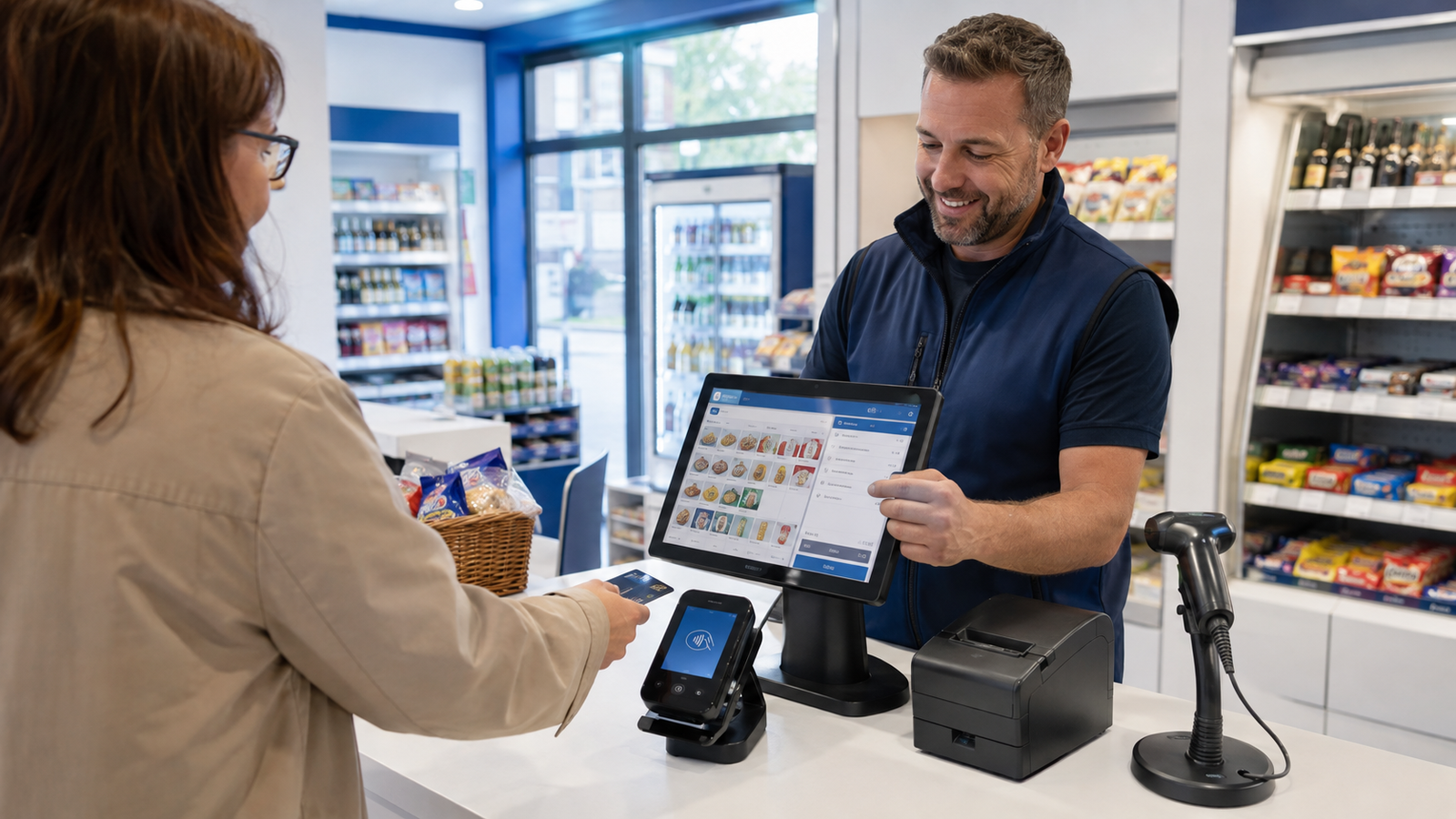
It's Saturday lunchtime. Six people in the queue, one of them wants to split payment, and you're adding up in your head while the card machine sits on its own on the counter.
That's the problem an EPOS system solves. It's the till, the payment, the stock count and the day's figures joined into one thing instead of four.
The letters stand for electronic point of sale. Which tells you nothing useful, so here's what it actually means in a shop, café or takeaway.
What an EPOS system actually is
An EPOS system is a computer that happens to look like a till. There's a touchscreen, a cash drawer, a receipt printer and usually a barcode scanner.
Behind the screen sits software that knows your prices, your products, your staff and your sales history.
A traditional cash register records that £8.50 went in the drawer. An EPOS system records that you sold a flat white and a sausage roll at 11:04, to a card, served by Amira, and that you now have thirty-one sausage rolls left.
That difference — knowing what sold rather than just how much — is the whole point.
EPOS vs POS: is there a difference?
Not really. "POS" is point of sale, and it's the term used in the US and by most international brands. "EPOS" is the British version, with the E for electronic bolted on.
You'll see both used for the same product. If a supplier tells you their POS is different from an EPOS, ask them to explain how, because it usually isn't.
One genuine distinction is worth knowing. "Point of sale" sometimes refers to the physical spot where you take money, and sometimes to the software. When you're comparing quotes, check which one the price covers.
How an EPOS system works, step by step
Here's a single sale from start to finish.
- You scan a barcode or tap a product button on the screen.
- The software pulls the price, VAT rate and product name from your database.
- Items build into a basket on screen, with discounts or meal deals applied automatically.
- You take payment — cash, card, gift card or a mix of them.
- If the card machine is integrated, the total is sent straight to it, so nobody types it in.
- The receipt prints or is emailed, the drawer opens if it's a cash sale.
- Stock levels drop by the quantity sold.
- The sale lands in your reporting, tagged by time, staff member, payment type and product.
All of that happens in the time it takes to hand over a bag. The value comes at the end of the week, when you can see which lines earn their shelf space.
What an EPOS does that a cash register doesn't
JobCash registerEPOS system
Ring up a sale | Yes | Yes
Track stock by product | No | Yes
Show best and worst sellers | No | Yes
Staff logins and per-person sales | Limited | Yes
Send totals to the card machine | No | Yes, if integrated
Table plans and kitchen tickets | No | Yes, on hospitality setups
Reports on your phone | No | Yes, on cloud systems
Export figures for your accountant | Manual | Yes
The hardware you need to run one
Most independents need less kit than they expect. A standard counter runs on a touchscreen terminal, a cash drawer, a receipt printer and a card machine.
Retail adds a barcode scanner and, if you price your own goods, a label printer. Hospitality adds a kitchen printer or a screen in the pass.
Takeaways often want a second printer for delivery dockets. You can see the usual combinations on our EPOS hardware page.
Software sits on top. On a cloud system your data lives online, so you can check today's takings from home and your terminal keeps working through a broadband drop.
What this looks like in a real business
Take an illustrative example: a single-site sandwich shop doing roughly 180 transactions a day, six days a week, with two staff on at lunch. These figures are made up to show the shape of the thing, not a promise.
Before EPOS, the owner counts the drawer at close, writes the total in a book, and orders stock by walking the shelves on Sunday night.
After EPOS, three things change. Payments go through an integrated card machine, so the total is never mistyped. The end-of-day report is already done when the shutter comes down. And the stock report shows that two of the eleven sandwich fillings account for a third of sales, while two others barely move.
The owner drops the slow lines, buys deeper on the fast ones, and cuts waste. That's the return — not the till itself, but the decisions it makes obvious.
Frequently asked questions
Is an EPOS system the same as a till?
A till is the box and drawer. An EPOS system is the till plus the software that records what sold, tracks stock and produces reports. In everyday speech people call both "the till", which is fine.
Do I need an EPOS system for a small shop?
Not always. If you sell a handful of products and take a few dozen payments a day, a card reader may be enough for now. We've written an honest comparison in card reader or full EPOS, including the point at which the maths flips.
How much does an EPOS system cost in the UK?
Prices vary widely by supplier and setup. Zivaro sells bundles outright as a one-off, with software and support at £12 a month + VAT — current bundle prices are on our products page.
Does an EPOS system work without internet?
Good cloud systems keep taking sales offline and sync when the connection returns. Card payments still need a signal, so ask whether the terminal can fall back to mobile data.
Can I keep my existing card machine?
Sometimes, depending on the make and your acquirer. It's worth asking before you buy, because an integrated machine removes typing errors at the counter.
See one running before you decide
The fastest way to understand an EPOS system is to press the buttons yourself with your own products on screen. Book a free demo and a UK-based member of our team will walk you through a setup built for your business, answer the awkward questions, and give you a written quote. No obligation, and if a card reader is genuinely the better fit, we'll tell you. You can also read more about our EPOS systems first.
More EPOS guides
EPOS Running Costs: What Will Your Business Pay Each Month?
Your EPOS subscription is only one part of the monthly bill. Card processing, terminal rental, integrations and everyday supplies can also affect what you pay. This Zivaro guide breaks down EPOS running costs, with a practical budget example and clear questions to help your UK business compare packages and plan ahead.
Read article
POS Warranty and Guarantee: A Practical Guide for UK Businesses
What does your POS warranty actually cover? This guide from Zivaro explains what UK businesses should check before buying, from equipment protection and repair arrangements to support hours, exclusions and cancellation terms. Learn which questions to ask and what to do if your EPOS system develops a fault.
Read article
How to Train Temporary Staff to Take Card Payments Confidently
Help temporary staff take card payments confidently from their first shift. This practical guide covers checking amounts, confirming payments, handling declines and knowing when to ask for help, with everyday examples for UK shops, cafés, restaurants and takeaways.
Read article