
Card reader or full EPOS? How to decide
A card reader is the right answer for a lot of small businesses — until it isn't. Here's the honest comparison, including the transaction volume at which the maths flips.
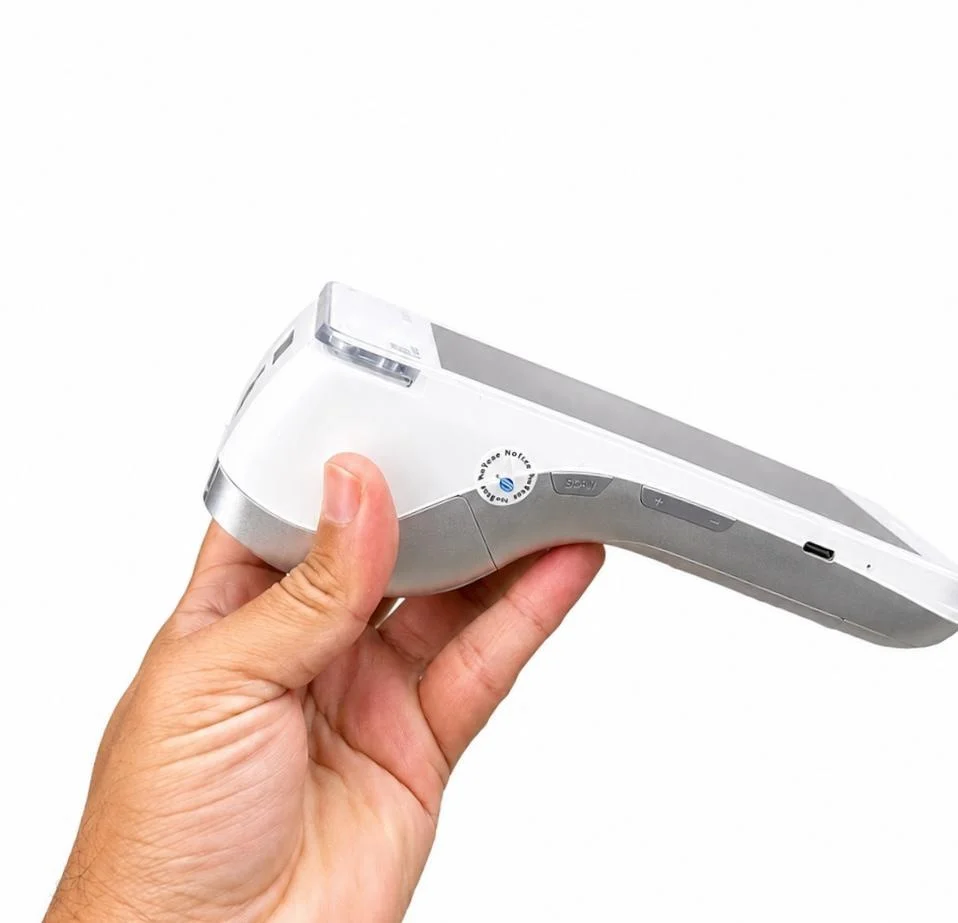
A card reader is the right answer for plenty of UK businesses. If you're a market trader, a mobile therapist or a café doing forty covers a day with eleven things on the menu, a reader from SumUp, Zettle or Square will do the job for a fraction of the cost of a full till.
The problem is that nobody tells you when you've outgrown it. This guide gives you the honest comparison — what a reader does well, where it stops, and roughly the transaction volume at which a full EPOS system starts paying for itself.
What a card reader is genuinely good at
Three things, and it does them well.
- Starting cheaply. Entry readers from the major providers are typically under £50 + VAT as a one-off, sometimes discounted for new accounts. Check their current pricing, as it changes and promotions come and go.
- No commitment. The reader itself generally carries no minimum term, which matters enormously if you're testing a new business.
- Predictable percentages. Rates are published on their websites. At the time of writing, SumUp advertises 1.69% on in-person transactions, with Zettle and Square both at 1.75%. Providers also offer paid tiers that change that maths, so check the current position before you decide.
For a business under roughly £5,000 a month in card takings with a short product list, that's a sound setup and you should probably keep it.
Where a card reader stops
A reader takes money. A till runs a shop. The gap shows up in five places.
Stock
Readers with a companion app can track basic item counts, but they aren't built for a shop with a thousand SKUs, variants by size and colour, supplier codes and reorder levels. If you're guessing what to reorder, you're either tying up cash in stock that isn't moving or losing sales on empty pegs.
Speed at the counter
Tapping through categories on a phone is fine at four transactions an hour and painful at forty. A barcode scanner and a proper till layout turn a fifteen-second sale into a three-second one.
Staff
Individual staff logins, till permissions, refund approvals and per-user sales reporting are basic requirements once you employ people. Without them you have no way of investigating a shortfall.
Anything hospitality-specific
Table plans, splitting bills, courses fired to a kitchen printer, modifiers ("no onions, extra cheese"), open tabs. These are the difference between a service that runs and one that shouts. This is exactly what a hospitality EPOS system is built for.
Reporting you'd actually use
Gross margin by product, sales by hour of day, waste, discount usage, VAT breakdowns for your accountant. Reader apps give you a sales total. A till tells you which lines make you money.
The maths, with the assumptions shown
Let's take a shop doing £12,000 a month on cards.
| Line | Card reader setup | Full EPOS bundle |
|---|---|---|
| Hardware, one-off | Typically under £50 + VAT for an entry reader (check current pricing) | A complete bundle, paid once, in the hundreds + VAT |
| Monthly software | £0 on the free tier; paid tiers extra | From £12 a month + VAT |
| Processing on £12,000 | Roughly £203–£210 at 1.69%–1.75% | Depends on your merchant agreement — compare like for like |
| Stock control | Basic item counts | Full stock file, reorder levels, supplier ordering |
| Staff accounts | Limited | Individual logins and permissions |
| Support | Mostly in-app and online | UK-based phone support |
Notice what the table shows. The rate difference between 1.69% and 1.75% on £12,000 is about £7 a month. That is not the reason to choose anything. The software difference is from £12 a month + VAT. Also not the deciding factor.
The deciding factor is the operational cost. Say the reader setup adds ten seconds to each transaction and you do 500 transactions a week. That's 83 minutes of staff time a week, or roughly 72 hours a year. Add one stock-out a week on a line you'd normally sell ten of, and the reader is costing you considerably more than the till would.
These are illustrative numbers using your own figures, not measured claims. But run them on your own transaction count and you'll get a straight answer in five minutes.
The tipping point, roughly
From what we see across the businesses we work with, the switch usually makes sense when two or more of these are true:
- You're doing more than about 300 card transactions a week
- You carry more than about 200 distinct products
- You employ two or more people who use the till
- You sell in more than one place — shop and website, or shop and market
- You need table service, order modifiers or a kitchen printer
- You're re-ordering stock by walking round with a notebook
One of these? Stay with the reader. Three or more? You're paying for a till already, in time rather than money.
You don't have to choose between good rates and a proper till
The false choice in this decision is thinking a full EPOS system means going back to expensive card processing. It doesn't. Integrated card payments mean the till sends the amount straight to the card machine, so nobody types the total in by hand — which removes the single most common source of end-of-day discrepancies.
If you want the reader's simplicity with a real till behind it, that's what a bundle gives you: the terminal, printer, scanner and cash drawer bought once, software from £12 a month + VAT, and a card machine that's part of the same system.
Frequently asked questions
Is SumUp good enough to run a shop?
For a small, simple shop with a short product list and one person serving, often yes. It becomes limiting when you need detailed stock control across hundreds of lines, individual staff permissions, or hospitality features like table plans and kitchen printing. Look at your product count and staff count rather than your turnover.
Can I keep my SumUp, Zettle or Square reader if I get an EPOS system?
Sometimes, but usually only as a standalone device that doesn't talk to the till, which means staff key the amount in manually. That works, but you lose the main safety benefit of integration. Ask your prospective EPOS provider directly which terminals they integrate with before you assume either way.
What's the difference between a card machine and an EPOS system?
A card machine takes payments. An EPOS system records what was sold, adjusts stock, manages staff and produces reports, then instructs the card machine to take the payment. Many businesses need both, which is why they're usually sold together.
Do I need a till if I only sell a few products?
Probably not, if you also have few transactions and no staff. The moment you're employing people or reordering stock regularly, the record-keeping a till provides starts earning its keep — well before the transaction fees do.
Work out your own number
Count your weekly transactions, your product lines and the number of people who use the till. If you're above the thresholds above, a reader is quietly costing you more than it saves.
Book a free demo and we'll run your actual figures with you — transaction count, product count, card turnover — and tell you honestly whether you're ready for a full system yet. A UK-based member of our team will call at a time that suits, and if the answer is "stick with what you've got for now", we'll say so.
More EPOS guides
EPOS Running Costs: What Will Your Business Pay Each Month?
Your EPOS subscription is only one part of the monthly bill. Card processing, terminal rental, integrations and everyday supplies can also affect what you pay. This Zivaro guide breaks down EPOS running costs, with a practical budget example and clear questions to help your UK business compare packages and plan ahead.
Read article
POS Warranty and Guarantee: A Practical Guide for UK Businesses
What does your POS warranty actually cover? This guide from Zivaro explains what UK businesses should check before buying, from equipment protection and repair arrangements to support hours, exclusions and cancellation terms. Learn which questions to ask and what to do if your EPOS system develops a fault.
Read article
How to Train Temporary Staff to Take Card Payments Confidently
Help temporary staff take card payments confidently from their first shift. This practical guide covers checking amounts, confirming payments, handling declines and knowing when to ask for help, with everyday examples for UK shops, cafés, restaurants and takeaways.
Read article