
Connect Just Eat, Deliveroo and Uber Eats to one till
Three tablets, three sets of beeps and one kitchen. Here is how aggregator orders can land in a single till, and what to check before you switch.
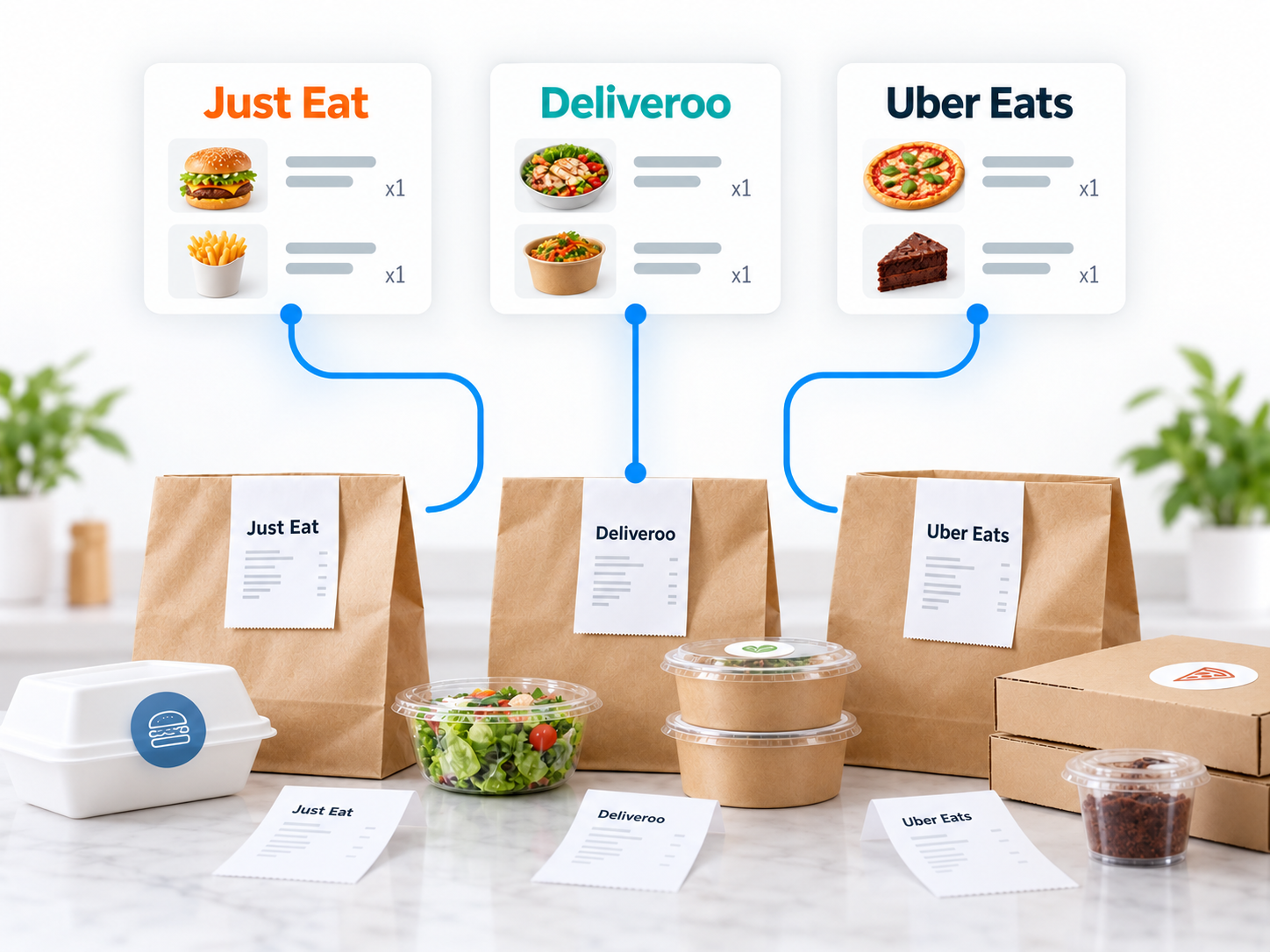
Friday, 7:40pm. Three tablets on the shelf, all beeping, plus the phone and the queue at the counter.
Somebody accepts a Deliveroo order twice, an Uber Eats order gets missed for six minutes, and nobody knows what tonight's actual total is until Sunday.
Aggregator integration means those orders arrive in your till like any other order. Here's what it fixes, what it doesn't, and the questions to ask before you commit.
What integration actually does
Instead of a member of staff reading a tablet and retyping the order, the order is passed to your EPOS automatically.
In practice that means:
- The ticket prints in the kitchen with the platform name on it, alongside your walk-in and phone orders.
- Delivery, collection and counter sales all land in one set of end-of-day figures.
- Stock is depleted by every channel, not just the ones you type in.
- Orders are accepted in one place, so nothing sits unacknowledged.
- Menus can be pushed from the till, so a price change happens once rather than four times.
What it doesn't do is change commission. You still pay each platform its rate; integration only removes the retyping and the reconciliation.
Tablet juggling versus one till
Separate tabletsIntegrated into the till
Order entry | Retyped by staff, or read off a screen | Automatic
Missed or double orders | Common on a busy night | Rare
Kitchen tickets | Different formats per platform | One consistent format
Menu updates | Once per platform | Once, then pushed out
Stock accuracy | Delivery sales invisible to stock | All channels counted
End-of-day reporting | Three exports plus your till | One report
Marking items unavailable | Per platform, manually | From the till, everywhere
The last row matters more than people expect. Running out of chips at 8pm and being unable to switch it off everywhere at once causes refunds and bad ratings.
What to check before you commit
- Which platforms are supported. Ask specifically for Just Eat, Deliveroo and Uber Eats by name, and get the answer in writing.
- Whether your account tier qualifies. Platforms sometimes limit integration by account type or region.
- The cost. A one-off setup fee, a monthly fee per platform, or both.
- Auto-accept behaviour. Can you choose to accept manually during a rush, or does everything come straight through?
- Prep times. Can you push a longer prep time to all platforms at once when the kitchen is buried?
- Menu sync direction. Does the till push to the platform, the platform pull from the till, or neither?
- Modifiers and notes. Check that "no onions, extra chilli" comes through intact on the kitchen ticket.
- What happens if the link drops. Orders should still reach the tablets as a fallback, and staff should know to check.
Set your menus up before you connect
Integration copies your problems as well as your orders. If your platform menus have drifted from your in-store menu, fix them first.
Match item names exactly across all channels. A "Chicken Shish" in store and a "Chicken Shish Kebab" on Deliveroo will report as two products for ever.
Agree how you handle platform pricing. Many takeaways price delivery items higher to offset commission; decide the policy before the menus sync, not after.
And rationalise. Nine sizes of the same thing is a kitchen error waiting to happen once orders start arriving faster.
What this looks like in a real business
Illustrative example, with invented figures to show the shape. A pizza and grill takeaway does roughly 120 orders on a Friday: 45 walk-in, 25 phone, and 50 across three platforms.
Before integration, one person's job from 6pm to 10pm is watching tablets and retyping orders. Two or three go in wrong most Fridays, and Sunday's reconciliation takes over an hour across four sets of figures.
After integration, platform orders print in the kitchen automatically with the source marked. The person who was watching tablets goes back on the counter and the front queue moves faster.
The Sunday job becomes one report showing orders and value by channel. Within a month the owner can see that one platform delivers volume at low margin, while another delivers fewer but higher-value orders.
That's a commercial decision he couldn't make before, because the data lived in three places. Operational detail for peak nights is covered in the Friday night rush guide.
Frequently asked questions
Can Just Eat, Deliveroo and Uber Eats all go into one EPOS?
In many setups, yes, though availability depends on your provider, your platform accounts and your region. Ask any supplier to confirm all three by name in writing before you buy.
Does integration reduce delivery commission?
No. Commission is set by the platform. Integration saves staff time and reduces order errors, which is a different kind of saving.
Do I still need the tablets?
Usually keep them as a fallback and for account admin, even after integration. Most takeaways leave one plugged in and out of the way.
Can I take my own online orders instead?
Yes, and many takeaways run their own ordering alongside the platforms to cut commission on repeat customers. See online shop EPOS for how that connects.
How long does setting up integration take?
The technical link is often quick. Getting your menus consistent across every channel is the part that takes real time, so start it a week early.
Tell us your platforms and we'll confirm what connects
Book a free demo, tell us which platforms you're on and roughly how many orders a night you take, and we'll confirm exactly what we can connect and what it costs — in writing, before you commit to anything. You can read more about takeaway EPOS systems and our wider EPOS systems first.
More EPOS guides
How to Identify Slow-Moving Stock with EPOS Reports
Find out how to identify slow-moving stock using EPOS reports. Learn which sales figures to check, how to spot excess inventory and what to do next, with practical examples to help your UK business make better purchasing decisions.
Read article
What Is an EPOS System? A Practical Guide for UK Small Businesses
What is an EPOS system, and how can it help your business? This practical guide from Zivaro explains how EPOS works, from recording sales and taking card payments to tracking stock and reviewing reports. Discover what UK shops, cafés and restaurants should consider when choosing a system.
Read article
EPOS Running Costs: What Will Your Business Pay Each Month?
Your EPOS subscription is only one part of the monthly bill. Card processing, terminal rental, integrations and everyday supplies can also affect what you pay. This Zivaro guide breaks down EPOS running costs, with a practical budget example and clear questions to help your UK business compare packages and plan ahead.
Read article