
Restaurant EPOS: table plans, timing and printers
Table 9 gets mains before table 6 gets starters. Here are the EPOS features that stop that happening, and the ones that only matter on paper.
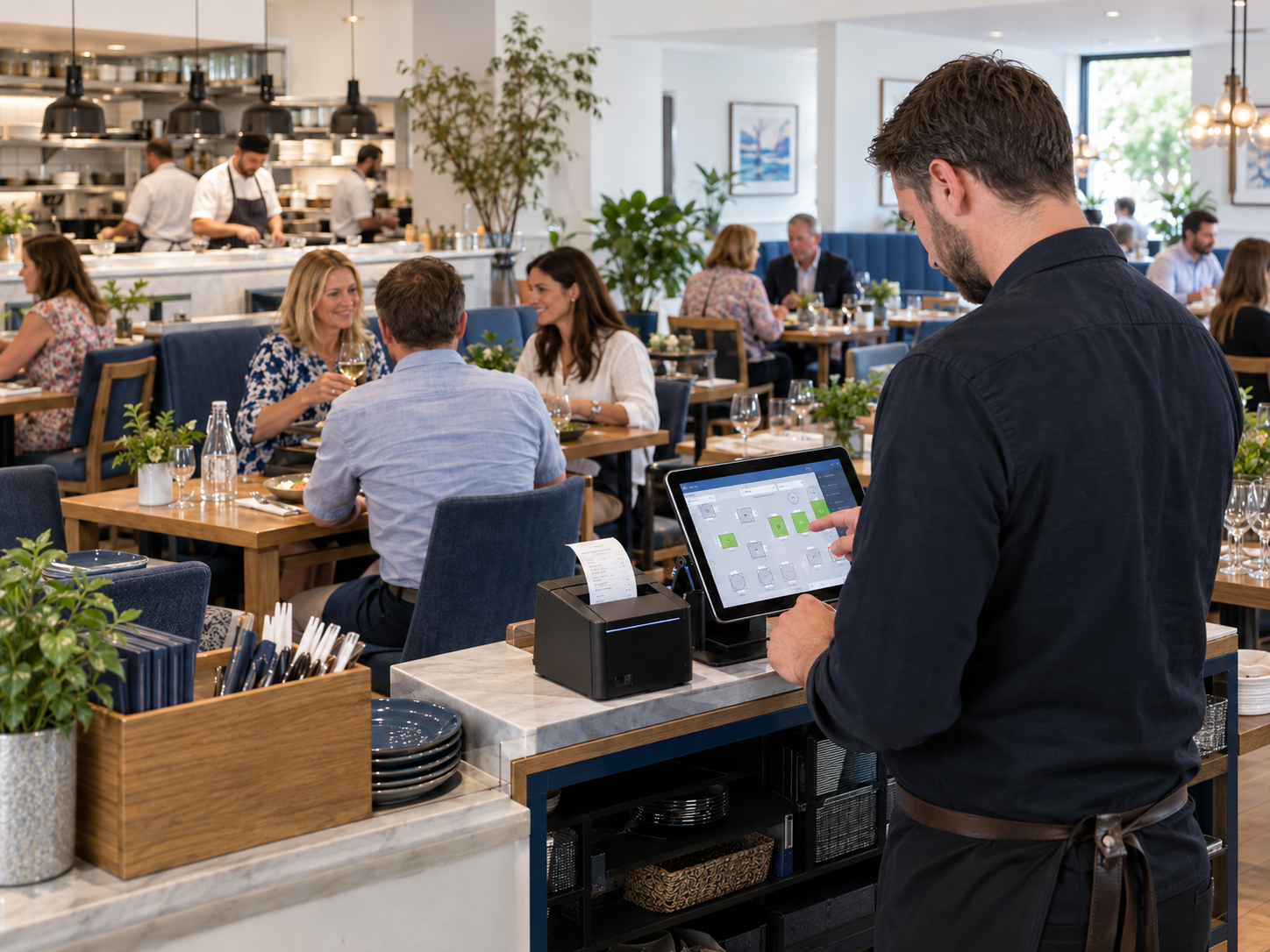
Table 9 gets their mains before table 6 gets their starters. The kitchen blames the floor, the floor blames the kitchen, and a table of six leaves unhappy.
Nearly every restaurant service problem is a timing problem, and most timing problems are order-routing problems.
These are the EPOS features that actually change a service, and the ones that look impressive in a demo and get used twice.
Table plans that match your floor
A table plan should look like your room, not a grid of numbered squares. Servers find tables by where they are, not by memorising numbers.
Check these before you buy:
- Can you draw your own layout, including the terrace and the upstairs room?
- Can you join two tables for a party of nine and split them back afterwards?
- Does the plan show status at a glance — seated, ordered, mains away, bill printed?
- Can you move a table mid-meal without losing the order?
- Does it show how long each table has been sitting?
That last one is the quiet money-maker. Knowing table 4 has been on coffees for forty minutes is what lets you turn it.
Course timing and holding
The single most useful hospitality feature is the ability to send starters now and hold mains until the floor calls them away.
Without it, the kitchen fires everything on the ticket and the pass backs up. With it, the server controls the pace of the meal from the table.
Look for course assignment on each item, a hold-and-fire function, and a clear indication on the kitchen ticket of which course is which. Then check how many taps it takes, because on a Saturday nobody will use a six-tap workflow.
Kitchen printers and screens
Kitchen printerKitchen display screen
Cost | Lower | Higher
Works in heat and steam | Yes, with the right model | Yes, if properly rated
Order changes after sending | Prints a second ticket | Updates in place
Timing data | None | Shows how long each ticket has waited
Chef preference | Familiar, tactile | Takes a week to get used to
If it fails mid-service | Swap the unit | Fall back to a printer
Most independents start with printers: one in the kitchen, one at the bar, sometimes one for desserts. Routing rules send each item to the right place automatically.
Get the routing wrong and drinks print in the kitchen. Test it with a full mixed order before you open. Printer options are on EPOS hardware.
Bills, splits and tips
Splitting a bill is where an evening goes wrong. Your system should handle all three ways people ask.
- Split evenly — one total divided by six.
- Split by item — each person pays for what they ate.
- Split by seat — orders recorded per seat from the start, so the bill is already separated.
Add partial payments, so three people can pay by card and one in cash on the same bill. Then check how tips are handled: prompted on the terminal, attributed to a server, and reportable at the end of the week.
All of this works better when the card machine is connected to the till, because nobody retypes a split total. See integrated card payments for how that works.
What this looks like in a real business
Illustrative example. A 45-cover neighbourhood restaurant, two services a day, four floor staff on a Saturday. Figures are invented to show the mechanics.
Before: orders written on pads, walked to the kitchen, and keyed into the till at the end. Two things happen every Saturday — one order gets misread, and the pass fires mains too early on at least one table.
After: servers take orders at the table on a handheld. Starters go straight to the kitchen printer, mains are held. When the floor clears the plates, they fire the mains from the table plan.
The kitchen gets a legible ticket with allergen notes attached. The bill is split by item without anyone doing sums. Tips are attributed by server automatically.
The owner's Sunday job shrinks from reconciling pads to reading one report — covers by hour, spend per head, and which dishes actually sold.
Setups like this are what our hospitality EPOS systems are built around.
Frequently asked questions
What features does a restaurant EPOS need?
Table plan, course holding, kitchen printer routing, split bills, staff logins and tips by server. Everything else is useful but not essential in year one.
Can staff take orders at the table?
Yes, using handheld terminals or tablets over your Wi-Fi. Check coverage in the far corners of the room before install, including the terrace.
How do kitchen printers connect to the till?
Usually over your network, by cable or Wi-Fi. Routing rules in the software decide which items print where, so drinks go to the bar and food to the kitchen.
Can an EPOS handle allergen notes?
Good ones let you attach modifiers and free-text notes to items, and print them clearly on the kitchen ticket. Ask to see it on the demo with a real dish.
Does a restaurant EPOS work for a takeaway too?
Many do, though the pressures differ. We cover peak-time takeaway operations in the Friday night rush guide.
See a full service run before you buy
Book a free demo and we'll run a live service on screen with your menu: a table seated, starters away, mains held, a bill split three ways and tips assigned by server. You'll see how many taps each step takes, and get a written quote afterwards with no obligation.
More EPOS guides
How to Identify Slow-Moving Stock with EPOS Reports
Find out how to identify slow-moving stock using EPOS reports. Learn which sales figures to check, how to spot excess inventory and what to do next, with practical examples to help your UK business make better purchasing decisions.
Read article
What Is an EPOS System? A Practical Guide for UK Small Businesses
What is an EPOS system, and how can it help your business? This practical guide from Zivaro explains how EPOS works, from recording sales and taking card payments to tracking stock and reviewing reports. Discover what UK shops, cafés and restaurants should consider when choosing a system.
Read article
EPOS Running Costs: What Will Your Business Pay Each Month?
Your EPOS subscription is only one part of the monthly bill. Card processing, terminal rental, integrations and everyday supplies can also affect what you pay. This Zivaro guide breaks down EPOS running costs, with a practical budget example and clear questions to help your UK business compare packages and plan ahead.
Read article